Meta Description Length: Character & Pixel Limits
How long should a meta description be? The exact character count and pixel limits Google uses on desktop and mobile, and how to stop the cut-off.
· Updated
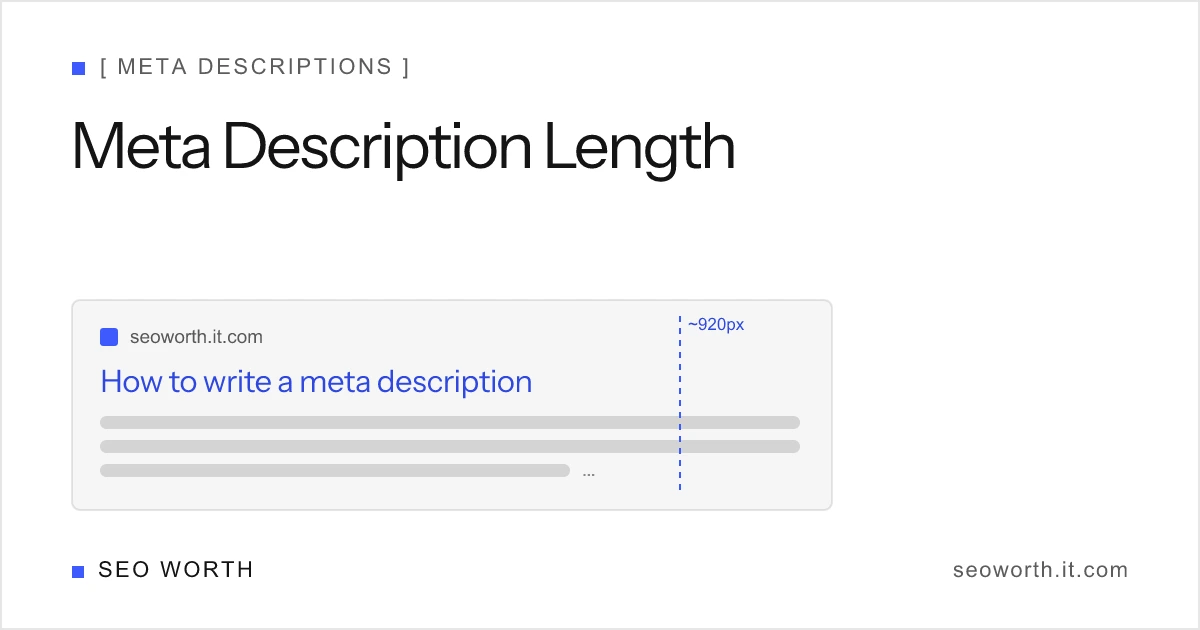
A meta description should be roughly 150–160 characters (≈920–960 pixels) on desktop and ~120 characters on mobile. Those are the points where Google starts trimming the snippet in search results. But the real rule is pixels, not characters: Google measures the rendered width and cuts to fit the screen, so the safest target is “short enough that wide letters can’t push it over.” Below is the full reference, with the exact thresholds, why they’re expressed two ways, and how to check any description against them.
Quick reference
Every count here is with spaces (spaces render and consume width just like letters). Pixel widths are the canonical measure; character counts are the friendly proxy.
| Surface | Character target | Pixel target | What happens past it |
|---|---|---|---|
| Desktop | ~150–160 chars | ~920–960px | Trimmed to the nearest whole word + ellipsis |
| Mobile | ~120 chars | narrower than desktop | Trimmed earlier; less room per result |
| Measured by | proxy only | canonical | Google cuts by pixel width, not character count |
| Safe zone | front-load first ~75% | first ~700px | Key message survives even if the tail is cut |
The single number to remember: keep the important part inside the first ~120 characters so it lands on every device, and let the desktop tail run to ~155.
Why pixels, not characters
Google truncates by pixel width, not by counting characters. There is no official character limit anywhere in Google’s documentation, the snippet is cut to fit the width of the result on the user’s device. That is why you’ll see a description survive at 158 characters on one page and get clipped at 150 on another: the second one used wider glyphs.
Characters are still a useful shorthand because, on average, ~150–160 characters render around 920–960 pixels in Google’s snippet font. Treat the character count as a speed-check and the pixel width as the truth. When the two disagree, trust the pixels.
Mobile is the tighter constraint, and it’s where most of your traffic likely is. A phone result has less horizontal room, so descriptions get clipped earlier, around the ~120-character mark. We lead with the character number here for consistency with our own preview tool, but the underlying limit is still pixel-based: a narrower viewport simply means fewer pixels before the cut. If your message only survives on desktop, most searchers never read it. Design for the mobile width first and the desktop tail becomes a free bonus.
How wide characters and spaces change the cut-off
Not all characters are equal. A capital M or W is far wider than an i or l, so two descriptions with identical character counts can truncate at completely different points. A line full of capitals, wide letters, or punctuation hits the pixel ceiling sooner than a line of thin lowercase characters.
Spaces matter too. Count with spaces: every space is a rendered character that consumes pixel width. A common mistake is pasting a “155-character” string measured without spaces, then watching Google clip it because the real, spaced width was higher. When a tool reports your length, make sure it’s counting with spaces, the “with spaces” figure is the one Google sees.
Bolding compounds the effect. Google bolds words in the snippet that match the query, and bold glyphs are wider than their regular weight, so a description that fits when plain can get trimmed once the user’s search term is emphasized.
Here is the same idea in numbers. Each line below is exactly 60 characters, yet they don’t render to the same width:
| 60-character string | Relative rendered width |
|---|---|
Will Mary win? Mountains, waterfalls, wow, what a wild week. | Widest (many M/W/w caps) |
mixing little timings inside thin lines is fairly slim work. | Narrowest (thin lowercase) |
The first line is packed with wide glyphs and will hit the pixel ceiling well before the second, even though a character counter calls them identical. This is the entire reason Google measures pixels: characters lie about width.

Why Google rewrites descriptions anyway
Even a perfectly sized description is no guarantee. Google shows the author’s meta description only about 37% of the time, rewriting the snippet for roughly 63% of results. It generates its own snippet, pulling text from the page, when that better matches the specific query, or when your description is weak, duplicated across pages, or keyword-stuffed.
The practical takeaways:
- Write for the query, not the character count. A description that directly answers the search intent is more likely to be kept.
- Make every description unique. Duplicate or templated descriptions are prime rewrite candidates.
- Don’t stuff keywords. Stuffing triggers a rewrite and reads badly when it is shown.
- Front-load the message in the first ~three-quarters, so it works whether Google keeps your text, truncates it, or shows a query-matched fragment of it.
Length gets your description shown intact; relevance gets it shown at all.
What good length looks like
The strongest descriptions treat the first ~120 characters as the headline and the rest as a bonus that desktop users may see. Below are three before/after rewrites that keep the same intent but fix the length and front-loading.
Too long, message buried at the end. Over 200 characters, and the actual benefit (“free, no sign-up”) lands past the truncation point on every device:
We have been helping businesses of all sizes for over a decade with a wide range of services, and we are proud to offer one of the most trusted SERP preview tools on the web, completely free with no sign-up required.
Rewritten, ~150 characters, benefit first:
Free SERP preview tool, no sign-up. Check your title and meta description in pixels and characters, see desktop and mobile snippets, and fix truncation.
A second pattern is the too-short description. There is no penalty for a 70-character line, but you’re leaving snippet real estate, and persuasion, on the table:
| Version | Length | Problem |
|---|---|---|
SEO tool for meta descriptions. | ~31 chars | Wastes the snippet; no benefit, no reason to click |
Check meta description length in pixels and characters, preview desktop and mobile snippets, and catch truncation before you publish, free. | ~138 chars | Uses the space, leads with the value, fits both screens |
The third pattern is duplication, the fastest way to get rewritten. If ten product pages share one templated description, Google will usually discard it and build its own snippet per query. Length is fine; uniqueness is the fix. Make each description specific to the page, and the length question takes care of itself.
Meta title character limit vs meta description character limit
These two get searched together and confused constantly, so here they are side by side. The “meta title” is not a real HTML element: people mean the <title> tag, which Google renders as the clickable title link.
| Element | Character target | Pixel budget | Measured where |
|---|---|---|---|
<title> (“meta title”) | ~50–60 chars | ~600px desktop | The blue clickable line |
<meta name="description"> | ~150–160 chars | ~920–960px | The grey text underneath |
| Mobile description | ~120 chars | narrower still | Phone result |
Two things follow from the table. First, the title budget is roughly a third of the description budget, so a title that reads like a sentence is almost always too long. Second, both are pixel limits with a character proxy bolted on, which means the same rule applies to both: measure the rendered width, not the string length. The title side is covered in full in title tag SEO best practices, and the SERP snippet preview tool measures both at once.
How to check yours
Don’t eyeball it, measure it. The reliable way is to render the text in Google’s snippet font and read the pixel width, exactly what our SERP snippet preview tool does in the browser. Paste a title, description, and URL and it shows the live desktop and mobile snippet plus the pixel width and character count (with spaces), flagging truncation before you publish.
A quick workflow:
- Draft the description and put the key message first.
- Paste it into the SERP preview tool and check the pixel width, aim under ~920–960px desktop, and confirm the core message sits inside the first ~120 characters.
- Toggle to mobile and verify the important part still shows before the cut.
- Add your target keyword to preview the bolded width, then trim if bolding pushes it over.
For a deeper walk-through of writing and structuring descriptions around these limits, this tutorial is a solid companion:
The verdict
Meta description length is a pixel budget dressed up as a character count. Spend roughly 920–960 pixels (~150–160 characters) on desktop, keep the part that matters inside the first ~120 characters for mobile, count with spaces, and remember that wide letters and bolded query terms spend that budget faster. Then accept that Google keeps your text only about a third of the time, so clarity and relevance do more for your click-through rate than squeezing in three more words.
For the writing method behind the numbers, read how to write a meta description, and pair it with title tag SEO best practices so the headline and the description work together.
Want concise breakdowns like this in your inbox? Join the newsletter for weekly SEO tips you can apply the same day.
- What is the ideal meta description length?
- About 150–160 characters (≈920–960 pixels) on desktop and ~120 characters on mobile. Google truncates by pixel width, so the exact cut-off depends on which characters you use.
- Is there an official meta description character limit?
- No. Google has never published a character limit. Snippets are cut to fit the device's display width in pixels, so the practical limit varies by screen and by the letters in your text.
- Why does Google cut off my meta description?
- Because the rendered text is wider than the space available. Google measures the snippet in pixels and trims it to the nearest whole word, adding an ellipsis, when it exceeds ~920–960px on desktop or the narrower mobile width.
- Does meta description length affect rankings?
- Not directly. Length is not a ranking factor. A clear, relevant description can lift click-through rate, which influences performance indirectly, but the character count itself does not move rankings.
- Should I count spaces in the meta description length?
- Yes. Count with spaces. Every space is rendered and consumes pixel width just like a letter, so spaces count toward both the character total and the truncation point.
[ READ NEXT ]
Robots Meta Tag: Noindex, Nofollow & Every Directive
What the robots meta tag does, every directive Google supports, the noindex vs nofollow vs disallow difference, and recipes that do not backfire.
How to Write a Meta Description (With Examples)
Learn how to write a meta description that wins clicks: the exact length limits, a 6-step method, before/after examples, and a free tool to test yours.
On-Page SEO Basics: A Beginner's Guide
Learn on-page SEO from scratch: title tags, meta descriptions, headings, URLs, links, alt text, and schema, with exact limits and a checklist to ship.
Get the weekly SEO brief
Practical SEO tips, tool releases, and search news. No spam, unsubscribe anytime.