On-Page SEO Basics: A Beginner's Guide
Learn on-page SEO from scratch: title tags, meta descriptions, headings, URLs, links, alt text, and schema, with exact limits and a checklist to ship.
· Updated
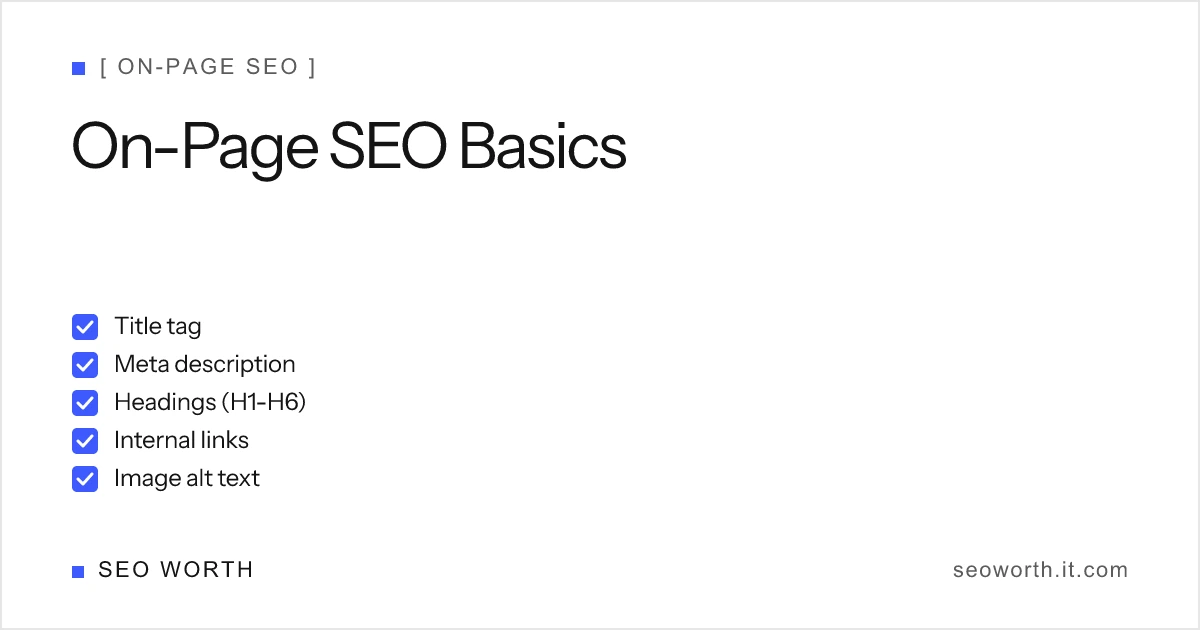
On-page SEO is the part of search optimization you fully control, and the part that moves first. This guide walks through every element on a page that search engines read: title tags, meta descriptions, headings, URLs, internal links, image alt text, content quality and E-E-A-T, and structured data. For each, you’ll get the exact limits, what job it does, and how to get it right. We close with a six-step beginner workflow and a copy-paste checklist you can run against any page before you publish.
What is on-page SEO?
On-page SEO is the practice of optimizing individual pages, both the content and the HTML source, so search engines and AI search tools understand the topic and users find it useful. It covers everything you control on the page itself: title tags, meta descriptions, headings, URLs, internal links, image alt text, content quality, and structured data.
That last point is the whole distinction. On-page factors live in your HTML and your copy, so you can edit them today. Off-page factors (backlinks, brand mentions, reputation) are earned elsewhere and you only influence them indirectly. Technical SEO (crawlability, site speed, indexing) overlaps with on-page but operates at the site level. On-page is where a beginner gets the fastest, most reliable wins, because every change is in your hands.

Why on-page SEO matters
Search engines can only rank what they can understand. On-page elements are the labels and structure that tell Google, and increasingly AI search tools, what a page is about, who it serves, and why it’s trustworthy. Get them right and you’re eligible to rank; get them wrong and even great content can be misread, truncated in the results, or skipped over for a clearer competitor.
Google frames the work plainly in its SEO Starter Guide: SEO is about small, incremental improvements that compound, not a single trick. The same guide is blunt about priorities: compelling, useful content influences your search presence more than any other factor. Everything else in this article exists to help engines find, understand, and present that content. Optimize for humans first; the rankings follow.
Title tags
The title tag is the clickable headline of your search result and one of the strongest on-page ranking signals Google uses. It tells both the engine and the searcher what the page is about before they ever land on it, so it’s the most important tag on the page.
How to write a title tag
Keep it unique to the page, descriptive, and lead with your primary keyword near the front so it survives truncation and matches intent at a glance. Match the search intent behind the query: a “how to” page and a product page targeting the same keyword need different titles. Avoid stuffing keywords or repeating boilerplate; one clear phrase beats three crammed ones.
Title tag length
Google truncates titles by pixel width, not character count. The cutoff is roughly 600px, which works out to about 50–60 characters on desktop. Treat the character count as a friendly proxy and the pixel measure as canonical, because wide characters (M, W) eat the budget faster than narrow ones (i, l). Front-load the important words so a trim never costs you the keyword.
For the full breakdown of what a title tag is and how to write one, see what is a title tag. For titles you can adapt rather than rules you have to apply, SEO title examples has 40 of them grouped by page type. To see your own title rendered at real pixel width before you ship it, run it through the free SERP snippet preview tool.
Meta descriptions
The meta description is the snippet of summary text under your title in the search results. Unlike the title tag, it is not a ranking factor, but it is a strong click-through lever. A sharp description is your ad copy in the SERP: it convinces a scanning user that your result answers their question better than the nine around it.
How to write a meta description
Make it unique per page, write in active voice, and include a clear call to action plus the keyword the searcher used (Google bolds matching terms, which draws the eye). Lead with the payoff so the message lands even if the tail gets cut. Our step-by-step walkthrough with before/after examples lives at how to write a meta description.
Meta description length
Aim for roughly 150–160 characters on desktop and ~120 on mobile, where the visible space is tighter. As with titles, Google truncates by pixel width (about 920–960px on desktop), so characters are a guide, not a hard rule. The complete reference (pixels versus characters, desktop versus mobile, and why Google rewrites descriptions about half the time) is in meta description length.
The title and meta description should expand on each other, not repeat. The title states
the topic; the description adds the angle, the benefit, and the reason to click. The meta
description is just one of several tags that live in your <head>. To see which of the
others actually move the needle and which are myths, read
meta tags for SEO.
Headings (H1–H6)
Headings give a page its outline. They tell readers, screen readers, and crawlers how the content is organized, which makes a long page scannable and helps engines pull the right section for a featured snippet or AI answer.
One H1, then a clean hierarchy
Use exactly one H1 for the page’s main topic. (On this site the H1 comes from the
article title, so the body uses ## and ### only.) Below it, use H2 for main points
and H3 and deeper for detail, never skipping levels for visual effect. The structure
should read like a table of contents: descriptive, hierarchical, and self-explanatory even
with the body text removed.
Write headings for humans
Descriptive headings double as keyword placement that never feels stuffed, because they’re genuinely useful signposts. “Meta description length” is a better H2 than “Length stuff”: it’s clearer for the reader and clearer for the engine. Keep them concise and parallel in phrasing.
URL structure
A clean URL is a small ranking and usability signal that’s easy to get right once and trivial to get wrong forever. The slug appears in the result, in shares, and in the breadcrumb, so it should describe the page at a glance.
What a good slug looks like
Keep it short, descriptive, and keyword-containing, with words separated by
hyphens. /blog/on-page-seo-basics/ beats /blog/post?id=8842. Avoid random IDs, dates
that will age the URL, and stop-word clutter. Google also recommends grouping pages into
logical directories (/blog/, /tools/) so the path itself communicates structure.
Decide the slug before you publish; changing it later means redirects and lost equity.
If a URL must change, redirect the old one with a 301 so the page’s accumulated link equity and any existing rankings transfer to the new address instead of evaporating into a 404. The same principle applies to duplicate URLs: pick one canonical version and point the rest to it, so search engines don’t split their signals across copies of the same page.
Internal links
Internal links connect your pages to each other. They help users discover related content, help crawlers find and index pages, and spread authority (link equity) through your site so your strongest pages lift the rest. A pillar guide like this one earns its keep by linking out to every cluster article on the topic.
Use descriptive anchor text
The clickable words, the anchor text, should describe the destination, not say “click here.” Google uses anchor text as a hint about what the linked page is about, so a link reading how to write a meta description tells the engine far more than a bare URL. Link naturally where the reference helps the reader, and make sure every important page is reachable within a few clicks of your homepage.
Where to place them
Add internal links where a reader would genuinely want more depth: the first time you mention a concept you cover elsewhere, or at the end of a section as a “go deeper” pointer. Link from high-traffic pages to the ones you want to lift, and from new pages back to your cornerstone guides. Avoid the two extremes: a page with zero internal links strands its authority, while a page stuffed with dozens of identical links dilutes the signal and reads like spam. A handful of relevant, well-anchored links per page is the right density for most articles.
Image alt text
Alt text is a written description of an image, set with the alt attribute. It serves users
on screen readers, acts as fallback text when an image fails to load, and gives search
engines the only readable account of what the picture shows, which is how images rank in
Google Images.
Describe every meaningful image
Write a descriptive alt for every content image: state what the image actually shows,
in plain language, rather than dumping keywords. alt="SERP snippet showing a truncated title tag" is useful; alt="seo title tag keyword best" is spam. Purely decorative images
can take an empty alt="" so assistive tech skips them.
Content quality and E-E-A-T
Content quality is the foundation everything else sits on. Google is explicit that compelling, useful content influences search presence more than any other on-page factor. No amount of tag optimization rescues a thin or derivative page.
Write people-first content
Create original, people-first content that does a real job for the reader: answers the question completely, adds something the competing pages don’t, and is genuinely worth the visit. Avoid keyword stuffing. Write for humans, and let the keywords appear naturally as a byproduct of covering the topic well. A useful test: if you stripped out the keyword, would the page still be the most helpful answer to the query? If yes, you’re optimizing content; if no, you’re padding.
Signal E-E-A-T
E-E-A-T stands for Experience, Expertise, Authoritativeness, and Trustworthiness, the qualities Google’s raters use to judge whether content deserves trust. Demonstrate it on the page: add author bios with real credentials, cite evidence and primary sources, keep information current, and be transparent about who’s behind the site. This matters most for topics where bad advice causes real harm, but it lifts every page.
Structured data
Structured data (schema markup) is code, usually JSON-LD, that labels your content for machines: “this is an FAQ,” “this is a how-to,” “this is the author.” It doesn’t directly change rankings, but it makes pages eligible for rich results: the star ratings, FAQ accordions, and how-to steps that make a listing bigger and more clickable.
Common schema types
Start with the types that match your content. FAQPage marks up a question-and-answer
block (this article emits it from the faq field). HowTo marks up step-by-step
instructions. Article, Breadcrumb, and Organization schema help engines
understand publishing context. Add only schema that reflects content actually visible on the
page; marking up content that isn’t there is a guideline violation.
A beginner workflow
On-page SEO is a repeatable sequence, not a guess. Run these six steps in order for any new page:
- Do keyword research. Identify the primary term the page should rank for and the related questions real users ask. Pick one main target per page.
- Match search intent. Look at what already ranks for that term (guide, list, comparison, product) and decide which format genuinely satisfies the searcher.
- Draft quality content with an H1–H6 outline. Write the people-first content first, structured with one H1 and a logical H2/H3 hierarchy. Content comes before tags.
- Optimize the title and meta description. Write a title under ~600px with the keyword near the front, then a 150–160-character description that expands on the title with a benefit and a CTA.
- Polish internal links, alt text, and the slug. Add descriptive internal links to
related pages, write
altfor every image, and set a short, keyword-containing URL before you publish. - Monitor in Google Search Console. After publishing, confirm the page is indexed
(a quick
site:yourdomain.com/your-pagecheck works too), then watch impressions, clicks, and average position to find what to improve next.
On-page SEO checklist
Run this table against any page before you hit publish. Each row is one element, the rule that matches our SERP-preview tool and Google’s guidance, and the job it does.
| Element | Rule of thumb | Its job |
|---|---|---|
| Title tag | Unique, keyword near front, ≤60 chars / ~600px | Ranking + the click |
| Meta description | Unique, active voice + CTA, ~150–160 desktop / ~120 mobile | Click-through (not ranking) |
| Headings | Exactly one H1, then descriptive H2 → H3 hierarchy | Structure + snippet eligibility |
| URL slug | Short, descriptive, keyword-containing, hyphenated | Usability + minor ranking signal |
| Internal links | Descriptive anchor text to related pages | Discovery + authority flow |
| Image alt text | Descriptive alt on every meaningful image | Accessibility + image search |
| Content quality | Original, people-first, complete; show E-E-A-T | The biggest ranking factor |
| Structured data | Add schema that matches visible content (FAQ, HowTo) | Rich-result eligibility |
| Indexability | No stray noindex; not disallowed in robots.txt | Whether the page can rank at all |
The last row is the one to check first, because it is the only row that can score zero. Every other element makes a page rank better; a stray noindex or a robots.txt disallow decides whether it can rank at all. The robots meta tag reference covers every directive and the crawl-versus-index trap that keeps unwanted pages in the index.
Putting it together
On-page SEO isn’t a single lever. It’s eight that reinforce each other. Content quality does the heavy lifting, the title tag and headings help Google understand and rank it, the meta description earns the click, internal links and clean URLs spread and signal authority, alt text and schema extend your reach into image search and rich results. Ship them together, measure in Search Console, and improve incrementally.
To go deeper on the elements that come up most, work through the cluster: what is a title tag, how to write a meta description, title tag SEO best practices, meta description length, meta tags for SEO, SEO title examples, the robots meta tag reference, and meta tags in HTML. And before any page goes live, check the title and description at real pixel width with the SERP snippet preview tool, then run the body copy through the keyword density checker to make sure no single phrase dominates.
Want the practical SEO wins in your inbox each week? Get the weekly SEO brief. One short email a week, exact numbers, nothing padded.
- What is on-page SEO?
- On-page SEO is the practice of optimizing individual pages, both the content and the HTML source, so search engines understand the topic and users find the page useful. It covers title tags, meta descriptions, headings, URLs, internal links, alt text, content quality, and structured data.
- What's the difference between on-page and off-page SEO?
- On-page SEO is everything you control on the page itself (content, headings, title tags, internal links, schema). Off-page SEO is the signals earned elsewhere, chiefly backlinks and mentions from other sites, that you influence but do not directly edit.
- What is the most important on-page SEO factor?
- Content quality. Google states that compelling, useful content influences search presence more than any other on-page factor. The HTML elements help engines understand and display that content, but they can't rescue a thin page.
- How many H1 tags should a page have?
- One. Use a single H1 for the page's main topic (on this site it comes from the title), then structure the rest with H2 for main points and H3+ for detail. Multiple H1s won't break a page, but one keeps the hierarchy clear.
- Do I need schema markup for on-page SEO?
- It's optional but recommended. Structured data (like FAQPage or HowTo) doesn't directly boost rankings, but it makes a page eligible for rich results that improve visibility and click-through rate.
[ READ NEXT ]
What Is a Title Tag? Definition, Example & Length
A title tag is the HTML title element Google shows as your clickable search headline. See the syntax, a worked example, and the 50–60 character rule.
Robots Meta Tag: Noindex, Nofollow & Every Directive
What the robots meta tag does, every directive Google supports, the noindex vs nofollow vs disallow difference, and recipes that do not backfire.
SEO Title Examples: 40 Real Titles by Page Type
40 SEO title tag examples for homepages, products, blog posts and local pages, with the formula behind each and before/after rewrites that fit 600px.
Get the weekly SEO brief
Practical SEO tips, tool releases, and search news. No spam, unsubscribe anytime.