Canonical Tag: What It Is & How to Use It for SEO
What a canonical tag is, what rel=canonical does for SEO, when to use one, and the mistakes Google ignores, with data from 364 top-ranking pages.
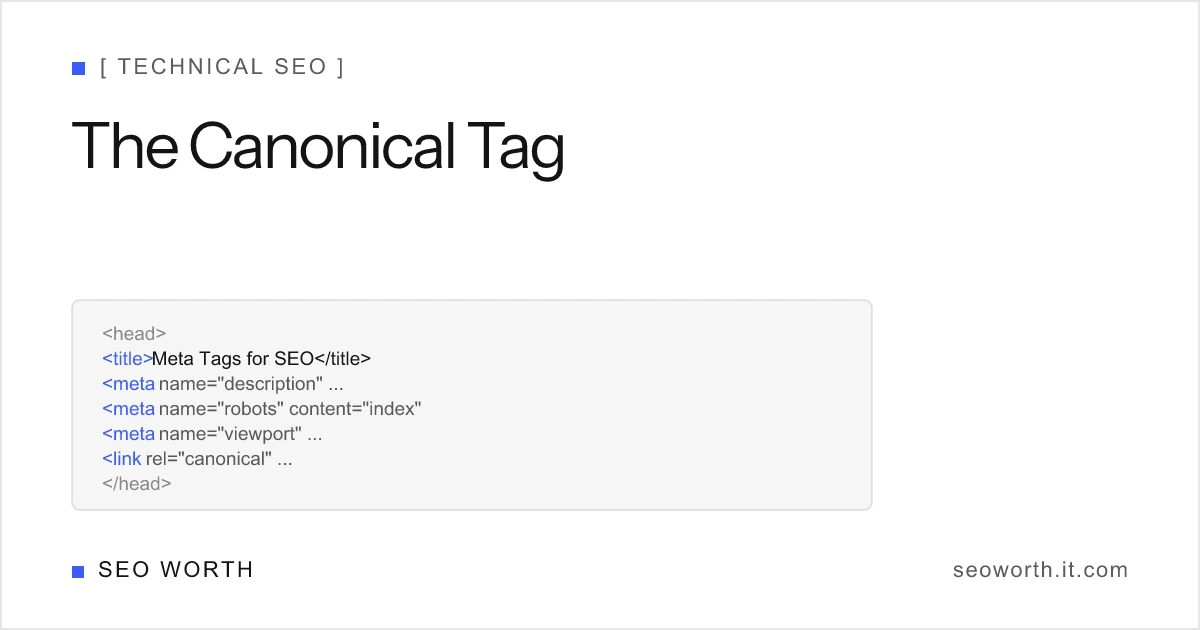
A canonical tag is an HTML element, <link rel="canonical" href="...">, that tells search engines which URL is the main version of a page when the same or very similar content can be reached at more than one address. For SEO, the canonical tag does two jobs: it makes Google index and show the URL you prefer, and it consolidates the signals (links, relevance) that would otherwise be split across the duplicates. It is a strong hint rather than a command, so Google can, and sometimes does, choose a different URL.
This guide covers what rel=canonical does, the situations where you need it, how it compares with a redirect and noindex, the mistakes that make Google ignore it, and what we found when we checked the canonical tags of 364 pages ranking in Google’s top 10 on 2026-10-12.
What a canonical tag looks like
The tag sits in the <head> of the page, next to the other meta tags in HTML:
<head>
    <title>Canonical Tag: What It Is & How to Use It for SEO</title>
    <link rel="canonical" href="https://seoworth.it.com/blog/canonical-tag-seo/" />
</head>
Three details matter. The href should be an absolute URL with the protocol and host, because a relative URL is easy to break when a page is served from another host or path. There should be exactly one canonical tag per page. And it must be in the <head>; a canonical link in the <body> is ignored.
For files that have no HTML head, such as PDFs, the same instruction can be sent as an HTTP header:
Link: <https://example.com/guide/>; rel="canonical"What the canonical tag does for SEO
Duplicate URLs are rarely a deliberate choice. The same product page shows up at /shoes/runner/, /shoes/runner/?color=blue and /sale/runner/; a blog post is reachable with and without a tracking parameter; a site answers on both http and https. Google sees these as separate URLs, so without guidance it has to pick one itself and may split links across all of them.
A canonical tag settles that. Google treats the declared URL as the preferred version, folds the duplicates into it, and shows the canonical URL in results. Links pointing at a duplicate count toward the canonical page instead of being wasted.
What it does not do is boost rankings on its own. A canonical tag on a page with no duplicates changes nothing about how that page ranks. Its value is defensive: it stops your signals from leaking and stops the wrong URL from appearing in search. That is why meta tags for SEO ranks it with the robots tag as a tag that decides indexing, not one that moves positions.
When you need a canonical tag
| Situation | Canonical should point to |
|---|---|
Tracking or session parameters (?utm_source) | The clean URL without parameters |
Sort and filter parameters (?sort=price) | The unfiltered listing, if the content is the same |
| Product available in several categories | One chosen category URL, or a category-free URL |
| Product variants with near-identical pages | The main product page |
| Printer-friendly or AMP version | The standard page |
| Article republished on another site | The original article (cross-domain canonical) |
Paginated series (/page/2/) | Itself, not page 1 |
| Every normal indexable page | Itself (self-referencing canonical) |
Two cases in that table catch people out. Paginated pages should each canonicalise to themselves, because page 2 has different items from page 1; pointing every page at page 1 tells Google the items on later pages do not need indexing. And http versus https or www versus non-www duplicates are better fixed with a site-wide 301 redirect than with canonical tags, because a redirect removes the duplicate for users as well.
Self-referencing canonical tags
A self-referencing canonical is a tag that points at the URL of the page it is on. It looks redundant, but it protects against duplicates you did not create. When someone links to your page with ?ref=newsletter, or Google itself adds a tracking parameter to a result link, the tag tells Google the parameter-free URL is the real one.
It is also what the web’s top-ranking pages do. On the 364 pages we could read, 337 of 344 canonical tags referred to the page itself. 23 of those 337 removed a query parameter from the URL Google ranked, mostly srsltid, a parameter Google appends to some result links. That is the self-referencing canonical doing exactly its job.
Most CMSs add one by default. WordPress SEO plugins such as Yoast and Rank Math output a self-referencing canonical on every post, and Shopify themes include one in the theme layout. Check the page source before adding another, because two canonical tags on one page is a mistake in its own right.
Canonical tag vs 301 redirect vs noindex
The three are often confused because all of them keep a URL out of search results. They do different things to users and to signals.
| Tool | Users can still visit the duplicate | Signals consolidated | Use when |
|---|---|---|---|
| Canonical tag | Yes | Yes, as a hint | The duplicate needs to exist (parameters, variants) |
| 301 redirect | No, they are forwarded | Yes, strongly | The old URL has no reason to exist |
noindex robots tag | Yes | No | The page should not be in search at all (thank-you page) |
Do not combine a canonical tag pointing elsewhere with noindex on the same page. One says “index that other URL instead”, the other says “drop this”. Google’s John Mueller has warned that in that combination the noindex can end up applied to the canonical target. The robots meta tag guide has the full list of what noindex is for.
What 364 ranking pages do with canonical tags
On 2026-10-12 we collected the top 10 Google organic results (US, desktop) for 64 queries across eight topics, from SEO and software to recipes and home repair, and read the <head> of every page that returned one: 364 pages. The same sample is behind our title tag length statistics.
| Finding | Pages | Share of 364 |
|---|---|---|
| Has a canonical tag | 344 | 94.5% |
| Canonical points to the page itself | 337 | 92.6% |
| Canonical points to a different URL | 7 | 1.9% |
| No canonical tag at all | 20 | 5.5% |
| More than one canonical tag | 1 | 0.3% |
| Relative canonical URL | 1 | 0.3% |
| Canonical sent as an HTTP header | 1 | 0.3% |
The seven pages with a canonical pointing elsewhere are the interesting part, because every one of them still ranked in the top 10 at its own URL:
- An AOL article ranked 3rd for
best indoor plantswith a cross-domain canonical to the original House Beautiful article. That is correct syndication markup, and Google showed the AOL copy anyway. - A personal finance article ranked 7th for
how to make a budgetwith a canonical pointing to astaging.hostname. Google ignored it and indexed the live URL. - A garden centre page ranked 1st for
best indoor plantswith a canonical pointing to a PDF. - A medical journal page ranked 6th for
symptoms of vitamin d deficiencywith a canonical pointing to a different, newer article.
That is the “hint, not a directive” rule in practice. When a canonical points somewhere implausible, Google uses its other signals and picks the URL it thinks is right. It also means a canonical tag will not reliably keep a syndicated copy out of results. One caveat: we fetched these pages with a browser user agent, and a site can serve Googlebot different HTML.
Common canonical tag mistakes
- Pointing at a URL that does not return 200. A canonical to a redirect, a 404 or a page with
noindexsends Google a contradiction. Point at the final, indexable URL. - Two or more canonical tags. Often one from the theme and one from a plugin. Google may ignore both.
- Canonicalising all paginated pages to page 1. Items on later pages lose their path into the index.
- Mismatched signals. The canonical says one URL, the sitemap lists another, and internal links use a third. Pick one form, including the trailing slash, and use it everywhere.
- Leaving staging hostnames in production. A canonical copied from a staging environment, like the example above, points every page at a site that should not be indexed.
- Using canonical to fix a site-wide host problem. Duplicate hosts and protocols are a redirect job.
How to check which canonical Google chose
Google Search Console shows both sides. Open URL Inspection for any URL: “User-declared canonical” is your tag, “Google-selected canonical” is the URL Google uses. When they differ, the Page indexing report groups the page under “Duplicate, Google chose different canonical than user”, which is the list to review after a migration or a template change.
On this site, all 29 URLs we inspected in Search Console this week have the Google-selected canonical equal to the declared one. That is what a clean setup looks like: one self-referencing canonical per page, the same URL form in the sitemap, and internal links that use it. The rest of the head of a page is covered in the on-page SEO basics guide.
- What is a canonical tag in SEO?
- A canonical tag is the HTML element `<link rel="canonical" href="...">` placed in the `<head>` of a page. It tells search engines which URL is the main version of that content when duplicates or near-duplicates exist at other URLs, so ranking signals are consolidated on one address and that address is the one shown in results.
- Does every page need a canonical tag?
- It is not required, but it is good practice. A self-referencing canonical on every indexable page protects against duplicates you did not plan for, such as tracking parameters and session IDs. 344 of the 364 top-ranking pages we checked had one.
- Is a canonical tag the same as a 301 redirect?
- No. A 301 redirect sends users and crawlers to another URL, so the duplicate stops existing for both. A canonical tag leaves the duplicate reachable for users and only asks search engines to index another URL. Use a redirect when the old URL has no reason to exist, and a canonical when it does.
- Can the canonical URL point to another domain?
- Yes. Cross-domain canonicals are used for syndicated content, where a republished article points back to the original. Google treats them as a hint and may still index the copy, especially when the copy has more links or the pages differ.
- How do I see which canonical Google chose?
- Use the URL Inspection tool in Google Search Console. It shows the user-declared canonical, which is your tag, and the Google-selected canonical. If they differ, the Page indexing report lists the page under 'Duplicate, Google chose different canonical than user'.
[ READ NEXT ]
Title Tag Length Statistics: 504 Google Title Links Measured
Title tag length statistics from 64 Google SERPs (October 2026): pixel widths of 504 title links, where truncation starts, and how often titles change.
Robots Meta Tag: Noindex, Nofollow & Every Directive
What the robots meta tag does, every directive Google supports, the noindex vs nofollow vs disallow difference, and recipes that do not backfire.
Meta Tags in HTML: A Developer's Reference
What a meta tag in HTML is, the exact syntax, and a full reference table: charset, viewport, description, robots, Open Graph, plus the tags to delete.
Get the weekly SEO brief
Practical SEO tips, tool releases, and search news. No spam, unsubscribe anytime.