Meta Tags in HTML: A Developer's Reference
What a meta tag in HTML is, the exact syntax, and a full reference table: charset, viewport, description, robots, Open Graph, plus the tags to delete.
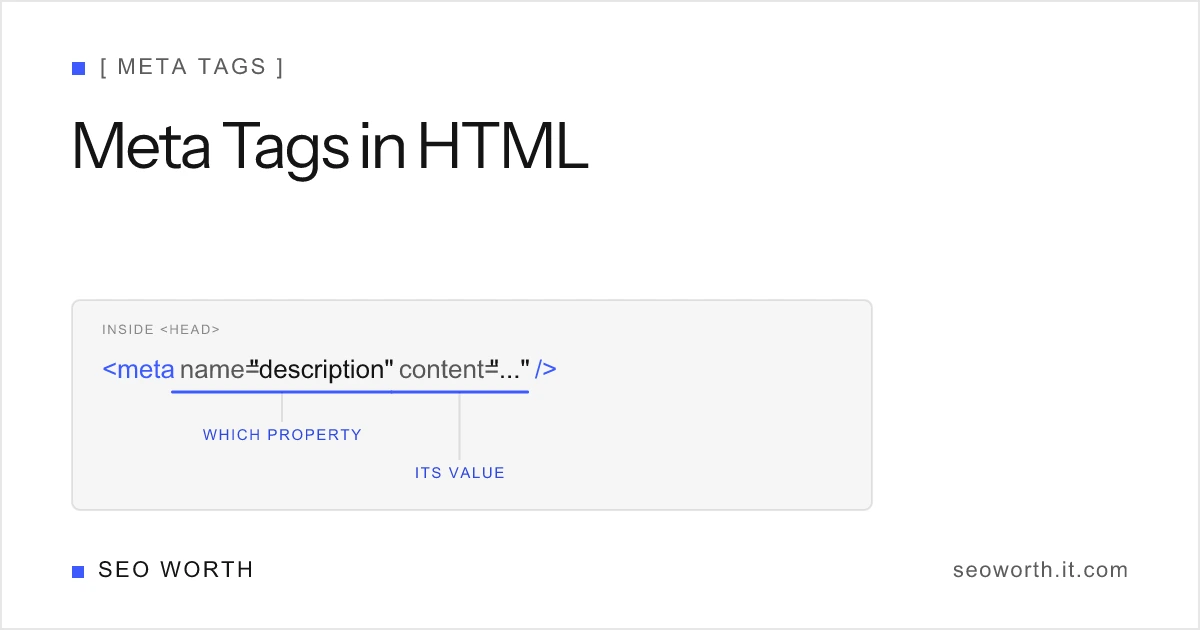
A meta tag in HTML is a <meta> element inside <head> that describes the page instead of rendering on it: its character encoding, how it scales on mobile, what its search snippet should say, whether it may be indexed. The syntax is one void element with a couple of attributes, and only about a dozen values are worth knowing in 2026. This is the developer’s reference: the exact syntax, a full table of the tags that matter, working code for each, and the obsolete ones to strip from your templates.
Meta tag syntax: the anatomy
Every meta tag is a void element: it has no closing tag and no content of its own. All information lives in attributes, and there are exactly three valid shapes.
1. The name / content pair is the standard form. name says which property you are setting, content carries its value:
<meta name="description" content="A plain-language summary of the page." />
<meta name="viewport" content="width=device-width, initial-scale=1" />
<meta name="robots" content="noindex" />
2. The charset shortcut declares the document’s character encoding in a single attribute. It replaced the old http-equiv="Content-Type" long form in HTML5:
<meta charset="utf-8" />3. The http-equiv / content pair simulates an HTTP response header from inside the document. Only a few values remain useful (more on that below):
<meta http-equiv="refresh" content="0; url=https://example.com/new-page/" />You will also see a fourth shape in the wild: property / content, used by Open Graph tags (<meta property="og:title" ...>). Strictly, property comes from RDFa rather than the HTML spec, but every parser that matters (Facebook, LinkedIn, Slack, Google) reads it, so treat it as the de facto standard for social metadata.
Two placement rules matter. All meta tags belong inside <head>, and the charset declaration must appear within the first 1,024 bytes of the document, which in practice means making it the first element in <head> so the parser never has to re-decode what came before it.
Quick reference: every meta tag that matters
Bookmark this table. It is the full working set for a modern page; anything not listed here is either niche or dead.
| Tag | Syntax | What it does | Who reads it |
|---|---|---|---|
| Charset | <meta charset="utf-8"> | Declares character encoding | Browsers |
| Viewport | <meta name="viewport" content="..."> | Controls mobile scaling | Browsers, Google |
| Description | <meta name="description" content="..."> | Source of the search snippet | Search engines |
| Robots | <meta name="robots" content="..."> | Index / follow directives | Search engines |
| Googlebot | <meta name="googlebot" content="..."> | Robots directives for Google only | |
| Open Graph | <meta property="og:title" content="..."> | Social share preview card | Social platforms |
| Twitter Card | <meta name="twitter:card" content="..."> | Preview card on X/Twitter | X/Twitter |
| Theme color | <meta name="theme-color" content="#3d5afe"> | Tints browser UI on mobile | Browsers |
Refresh (http-equiv) | <meta http-equiv="refresh" content="..."> | Client-side redirect; prefer a 301 | Browsers |
| Content-Security-Policy | <meta http-equiv="content-security-policy"> | Fallback CSP when headers are unavailable | Browsers |
| Keywords | <meta name="keywords" content="..."> | Nothing. Ignored since 2009. Delete. | Nobody |
None of these are required by the HTML spec. In practice, charset and viewport go on every page, description and robots go on every page you care about in search, and the social tags go on anything people might share.
The two every page needs: charset and viewport
<meta charset="utf-8"> prevents encoding bugs where curly quotes and accented characters render as garbage like ’. It has no SEO weight; it is simply the difference between a readable page and a broken one. First element in <head>, always.
<meta name="viewport" content="width=device-width, initial-scale=1"> tells the browser to render at the device’s width instead of a zoomed-out 980px desktop canvas. Google explicitly treats a configured viewport as part of mobile-friendliness, and with mobile-first indexing the mobile rendering is the one Google evaluates. Two attributes, one line, measurable SEO consequence if you omit it.
<head>
    <meta charset="utf-8" />
    <meta name="viewport" content="width=device-width, initial-scale=1" />
    <!-- everything else -->
</head>
The search tags: description and robots
<meta name="description"> is the source of the snippet under your title in search results. It is not a ranking factor, but it is the most visible copy you control. Aim for about 150–160 characters (~920–960 pixels) on desktop and keep the key message inside the first ~120 characters so it survives on mobile. Google measures by pixel width, not character count, so check the rendered width in our SERP snippet preview tool rather than trusting a character counter.
<meta name="robots"> controls indexing, not rankings. The values you will actually use:
<!-- Default behavior; the tag is unnecessary on a normal page -->
<meta name="robots" content="index, follow" />

<!-- Keep the page out of the index entirely -->
<meta name="robots" content="noindex" />

<!-- Index the page, but do not pass signals through its links -->
<meta name="robots" content="index, nofollow" />

<!-- No index, no snippet caching, no link signals -->
<meta name="robots" content="noindex, nofollow, noarchive" />
Google indexes by default, so omit the tag on normal pages and reserve noindex for thin, duplicate, or private ones. A stray noindex shipped from staging is one of the most common ways teams accidentally remove a page from Google. Use <meta name="googlebot" content="..."> when you need a directive to apply to Google only. The full list of values, including max-snippet, max-image-preview, unavailable_after and the X-Robots-Tag header equivalent, is in the robots meta tag reference.
The <title> element and <link rel="canonical"> also live in <head> and matter more than most meta tags, but neither is a <meta> element. Keep the title around 50–60 characters (~600 pixels); see our guide to which meta tags actually matter for SEO for the priority order across all of them.
Social preview tags: Open Graph and Twitter Card
Open Graph tags control the card shown when your URL is shared on Facebook, LinkedIn, Slack, and most messengers. Note the attribute: property, not name. Twitter Card tags use name and mostly fall back to Open Graph values, so a minimal block covers both:
<meta property="og:title" content="Meta Tags in HTML: A Developer's Reference" />
<meta property="og:description" content="Syntax, reference table, and the tags to delete." />
<meta property="og:url" content="https://seoworth.it.com/blog/meta-tag-in-html/" />
<meta property="og:image" content="https://seoworth.it.com/img/blog/meta-tag-in-html.webp" />
<meta property="og:type" content="article" />
<meta name="twitter:card" content="summary_large_image" />
Use a 1200x630 image (a 1.91:1 ratio) for og:image so it renders sharp on every platform. None of these affect rankings; they affect whether a shared link looks worth clicking.

http-equiv: the pragma directives
http-equiv values simulate HTTP headers from inside the markup. Most of them are historical; two still have legitimate uses.
refresh: reloads or redirects after N seconds. It works, and Google treats a0; url=...refresh as a redirect signal, but a server-side 301 is always better: faster, cleaner for accessibility, and unambiguous for crawlers. Use the meta version only when you cannot touch server config (static hosts, legacy CMS pages).content-security-policy: applies a CSP when you cannot set response headers. A real header is stronger (a meta CSP cannot useframe-ancestorsorreport-uri), but the meta form beats shipping no policy.x-ua-compatible: told Internet Explorer which rendering engine to use. IE is dead; delete it.
Obsolete meta tags: delete on sight
These tags cost you a line of markup and, in one case, hand competitors information for free. None of them do anything in a modern search engine.
| Tag | Why it is dead |
|---|---|
<meta name="keywords"> | Google confirmed in 2009 it ignores it for ranking; nothing changed |
<meta name="revisit-after"> | Never a real standard; no major crawler has ever honored it |
<meta name="distribution"> | A 1990s relic for “web vs intranet” scope; ignored by everyone |
<meta name="copyright"> | Redundant; put legal text in the page or a license file |
<meta http-equiv="x-ua-compatible"> | Targeted Internet Explorer, which no longer exists |
The keywords tag deserves the extra warning: keeping it does nothing positive and publishes your exact target terms to anyone who views source. Matt Cutts’ short answer on how much time meta tags deserve has aged perfectly:
A complete head, ready to copy
Everything above, assembled in the right order: charset first, viewport second, then search, then social.
<head>
    <meta charset="utf-8" />
    <meta name="viewport" content="width=device-width, initial-scale=1" />

    <title>Meta Tags in HTML: A Developer's Reference | seoworth</title>
    <meta name="description" content="What a meta tag in HTML is, the exact syntax, and a full reference table." />
    <link rel="canonical" href="https://seoworth.it.com/blog/meta-tag-in-html/" />
    <!-- robots omitted on purpose: index, follow is the default -->

    <meta property="og:title" content="Meta Tags in HTML: A Developer's Reference" />
    <meta property="og:description" content="Syntax, reference table, and the tags to delete." />
    <meta property="og:url" content="https://seoworth.it.com/blog/meta-tag-in-html/" />
    <meta property="og:image" content="https://seoworth.it.com/img/blog/meta-tag-in-html.webp" />
    <meta name="twitter:card" content="summary_large_image" />

    <meta name="theme-color" content="#3d5afe" />
</head>
How to check yours
View source on any page (or run document.head.querySelectorAll("meta") in the console) and compare against the reference table above. Then paste your title and description into the SERP snippet preview to verify the pixel widths: ~600px for the title, ~920–960px for the description on desktop. Those two strings are where meta tag work pays off; the rest of the head you template once and forget.
For the SEO priority order across all of these tags, including canonical and the title element, read Meta Tags for SEO: Which Actually Matter. For snippet length specifics, see the meta description length guide. The <title> element gets its own treatment in what is a title tag and title tag SEO best practices.
Want one practical reference like this in your inbox each week? Join the newsletter for concise on-page SEO tactics you can apply the same day.
- What is a meta tag in HTML?
- A meta tag is a <meta> element placed inside the <head> of an HTML document. It describes metadata about the page, such as its character encoding, viewport behavior, or search snippet text, using attributes instead of visible content. It is a void element, so it has no closing tag.
- Where do meta tags go in HTML?
- Inside the <head> element, before any visible content. The charset declaration should be the first element in <head> and must appear within the first 1,024 bytes of the document so the browser parses everything after it correctly.
- Which meta tags are required in HTML?
- Strictly, none: a document validates without any meta tags. In practice every page should declare charset and viewport, and any page you want found in search should add a meta description and, when you need to control indexing, a robots meta tag.
- Do meta tags help SEO?
- Some do, indirectly. The meta description feeds the search snippet and drives click-through rate, robots controls whether a page can be indexed, and viewport signals mobile-friendliness. No meta tag is a direct ranking factor; the title tag, which is not a meta tag, is the direct signal.
- Is the keywords meta tag still used?
- No. Google confirmed in 2009 that it ignores the keywords meta tag for web ranking and nothing has changed since. Modern search engines do not read it, so the correct move is to delete it from your templates.
[ READ NEXT ]
Meta Tags for SEO: Which Actually Matter
The meta tags that move SEO and the ones to ignore: title, description, robots, canonical, and Open Graph, ranked by impact.
Robots Meta Tag: Noindex, Nofollow & Every Directive
What the robots meta tag does, every directive Google supports, the noindex vs nofollow vs disallow difference, and recipes that do not backfire.
SEO Title Examples: 40 Real Titles by Page Type
40 SEO title tag examples for homepages, products, blog posts and local pages, with the formula behind each and before/after rewrites that fit 600px.
Get the weekly SEO brief
Practical SEO tips, tool releases, and search news. No spam, unsubscribe anytime.