Meta Tags for SEO: Which Actually Matter
The meta tags that move SEO and the ones to ignore: title, description, robots, canonical, and Open Graph, ranked by impact.
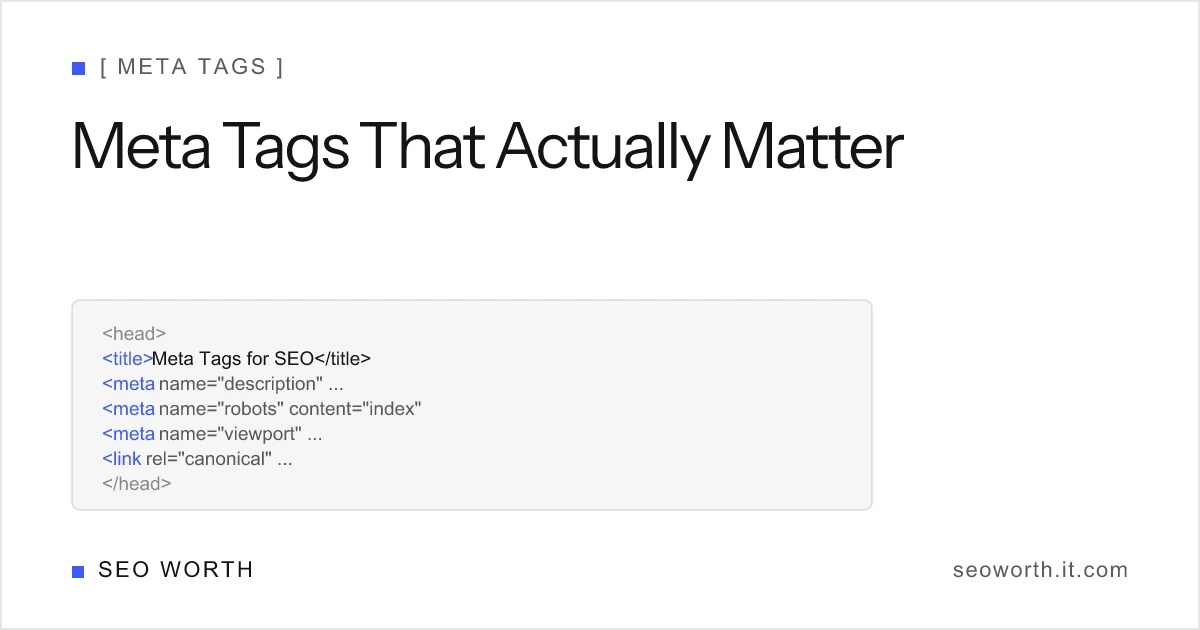
There are dozens of meta tags, but only a handful matter for SEO. One is a direct ranking factor (the title tag). A few decide whether your page gets indexed at all (robots, canonical). The rest help indirectly or not at all, and one is pure dead weight you should delete (meta keywords). Here is each tag that matters, with a plain “Affects ranking?” verdict, plus a clean <head> block you can copy.
The verdict table (start here)
If you only skim one thing, skim this. It ranks every common meta tag by whether it directly affects rankings and why it still earns a place in your <head>.
| Meta tag | Directly affects ranking? | Why it matters |
|---|---|---|
Title <title> | Yes, primary signal | Relevance signal + the clickable SERP headline |
| Meta description | No, but drives CTR | Source of the SERP snippet (shown ~37% of the time) |
| Meta robots (noindex/nofollow) | No, gates indexing | Decides whether a page can rank at all |
| Meta viewport | Indirect / yes (mobile) | Google treats it as a mobile-friendly signal |
| Meta charset | No | Prevents encoding and rendering breakage |
Canonical (rel=canonical) | No, consolidates dupes | Points Google to the master URL |
Open Graph (og:) | No | Social share previews; og:title can feed title links |
| Twitter Card | No | Previews on X/Twitter |
| Meta keywords | No, ignored by Google | Legacy, abused; some engines see overuse as spam |
Now the detail, in priority order.
1. Title tag: your biggest on-page lever
The <title> is the only tag in this list that is a direct ranking factor, and it doubles as the blue, clickable headline in search results. It tells Google what the page is about and tells humans whether to click. Get it wrong and you lose on both relevance and click-through rate.
Keep it to roughly 50–60 characters / ~600 pixels so Google doesn’t truncate it. Google measures by pixel width, not character count, so character count is just a friendly proxy. Lead with your primary keyword, keep it specific, and make each title unique across the site. You can check the exact pixel width of any title with our SERP snippet preview tool.
Affects ranking? Yes, the primary on-page signal in this list.
2. Meta description: the snippet that wins (or loses) the click
The meta description is not a ranking factor, but it is the most visible piece of copy you control: it’s the source of the snippet beneath your title. Google only uses your written description roughly 37% of the time (the rest it rewrites from on-page content to better match the query), but when it does show yours, a sharp description lifts click-through rate.
Aim for about 150–160 characters / ~920–960 pixels on desktop and ~120 characters on mobile, front-load the value, and include the query intent. Write for the click, not for a keyword quota.
Affects ranking? No, but it directly drives CTR.
3. Meta robots: the tag that decides if you rank at all
<meta name="robots"> doesn’t influence where you rank; it controls whether you can. noindex removes a page from the index entirely. nofollow tells Google not to pass signals through the page’s links. A single stray noindex left over from staging is one of the most common ways teams accidentally delete a page from Google.
For a normal page you want indexed, you don’t even need the tag, because Google indexes by default. Add index, follow only when you want to be explicit, and reserve noindex for thin, duplicate, or private pages.
Affects ranking? No, but it gates index eligibility, which is even more fundamental.
The directives go deeper than noindex and nofollow: there are snippet caps, image-preview settings, an expiry directive, and the crawl-versus-index distinction that makes pairing a noindex with a robots.txt disallow actively harmful. The robots meta tag reference covers every value Google supports.
4. Meta viewport: the mobile-friendly signal
The viewport tag, <meta name="viewport" content="width=device-width, initial-scale=1">, makes your page scale correctly on phones. Google explicitly treats a correctly configured viewport as part of mobile-friendliness, and with mobile-first indexing the mobile rendering is what Google evaluates. Omit it and your page can render zoomed-out and unusable on mobile, dragging down the experience Google measures.
Affects ranking? Indirect / yes on mobile. Google reads it as a mobile-friendly signal.
5. Meta charset: invisible until it breaks
<meta charset="utf-8"> declares your character encoding. It has no ranking effect, but get it wrong and curly quotes, em dashes, and accented characters turn into garbage (’), which quietly wrecks readability and trust. Put it as the first thing inside <head> so the browser parses everything else correctly.
Affects ranking? No, but it prevents encoding and UX breakage.
6. Canonical: point Google to the master URL
<link rel="canonical"> isn’t strictly a meta tag, but it lives in <head> and belongs in this conversation. It tells Google which URL is the master version when several pages are identical or near-identical (think ?utm= parameters, http/https, or paginated variants). That consolidates ranking signals onto one URL instead of splitting them across duplicates.
It doesn’t boost rankings on its own, but a canonical pointing at the wrong URL can stop your preferred page from ranking, so treat it carefully. Every page should self-canonicalize to its clean, trailingSlash URL.

Affects ranking? No, but it consolidates duplicates so signals don’t scatter.
7. Open Graph: how your link looks when shared
Open Graph tags (og:title, og:description, og:image, og:url) control the preview card when your page is shared on Facebook, LinkedIn, Slack, and most messaging apps. They are not a Google ranking factor. They earn their place because attractive share previews drive more clicks and shares, and shares can earn links, which do help. Note that og:title can occasionally feed the title link Google displays if your <title> is missing or weak.
Affects ranking? No, but better social previews can indirectly earn links.
8. Twitter Card: the X/Twitter equivalent
Twitter Card tags (twitter:card, twitter:title, twitter:image) do for X/Twitter what Open Graph does elsewhere: a richer preview when your URL is posted. Platforms increasingly fall back to Open Graph, so you often only need twitter:card plus your og: tags. No ranking impact. It is purely a distribution and CTR play.
Affects ranking? No. Social preview only.
9. Meta keywords: the one to delete
This is the tag to remove. <meta name="keywords"> is a legacy tag Google ignores completely, and has for well over a decade. It was abused for keyword stuffing in the early 2000s and lost all weight. Keeping it does nothing positive and hands competitors a free look at the exact terms you’re targeting. Worse, some smaller search engines can read an overstuffed keywords tag as a spam signal.
John Mueller covers exactly this in Google Search Central’s short answer on keyword meta tags:
Affects ranking? No, ignored by Google. Delete it.
A clean <head> to copy
Here’s a tidy, modern <head> block with the tags that matter, in a sensible order: charset first, then the essentials. Note the absence of meta keywords. For the full syntax anatomy of each tag, including http-equiv and the obsolete ones to strip, see the developer’s reference to meta tags in HTML.
<head>
    <meta charset="utf-8" />
    <meta name="viewport" content="width=device-width, initial-scale=1" />
    <title>Meta Tags for SEO: Which Actually Matter | seoworth</title>
    <meta
        name="description"
        content="The meta tags that move SEO and the ones to ignore, ranked by impact. Audit your title, description, robots, and canonical in minutes." />
    <meta name="robots" content="index, follow" />
    <link rel="canonical" href="https://seoworth.it.com/blog/meta-tags-seo/" />

    <!-- Social previews (not ranking factors, but worth setting) -->
    <meta property="og:title" content="Meta Tags for SEO: Which Actually Matter" />
    <meta property="og:description" content="Which meta tags affect rankings, and which to delete." />
    <meta property="og:url" content="https://seoworth.it.com/blog/meta-tags-seo/" />
    <meta name="twitter:card" content="summary_large_image" />

    <!-- Delete this. Google ignores it; some engines treat it as spam. -->
    <!-- <meta name="keywords" content="meta tags, seo, title tag" /> -->
</head>
Which meta tags does Google officially support?
When you trim, keep this in mind: Google officially supports a defined set of meta tags: description, robots and googlebot, notranslate, nopagereadaloud, google-site-verification, content-type / charset, refresh, viewport, and rating. Anything outside that list (including keywords) is either read by other services or ignored by Google Search entirely.
Do this next
Don’t audit all nine at once. Start with the title tag. It’s the only direct ranking factor here and the easiest win. Paste your title and description into the SERP snippet preview tool to check the exact pixel widths before you publish, then delete any meta keywords tags lurking in your templates. For the title element specifically, start with what is a title tag and then title tag SEO best practices; for the raw syntax of every tag above, see meta tags in HTML.
Want this kind of breakdown in your inbox? Get the weekly SEO newsletter for practical, direct on-page tactics.
- Which meta tags matter most for SEO?
- The title tag matters most because it is a direct ranking signal and the clickable SERP headline. After that, meta robots and canonical control indexing, the viewport tag signals mobile-friendliness, and the meta description drives click-through rate.
- Does the meta keywords tag still work?
- No. Google has ignored the meta keywords tag for years and confirms it plays no role in ranking. Worse, some smaller engines can read excessive keywords as a spam signal, so the safest move is to delete it.
- Are Open Graph tags a ranking factor?
- No. Open Graph tags control how your page looks when shared on social platforms. They do not affect Google rankings directly, though og:title can occasionally feed the link Google shows, and better shares can earn links that do help.
- Which meta tags does Google officially support?
- Google officially supports description, robots and googlebot, notranslate, nopagereadaloud, google-site-verification, content-type and charset, refresh, viewport, and rating. Other meta tags are read by other services, not Google Search.
- Does the canonical tag affect rankings?
- Not directly, but it consolidates duplicate or near-duplicate URLs onto one master version so ranking signals are not split. Pointing canonical at the wrong URL can stop your preferred page from ranking, so it matters a lot in practice.
[ READ NEXT ]
On-Page SEO Basics: A Beginner's Guide
Learn on-page SEO from scratch: title tags, meta descriptions, headings, URLs, links, alt text, and schema, with exact limits and a checklist to ship.
Robots Meta Tag: Noindex, Nofollow & Every Directive
What the robots meta tag does, every directive Google supports, the noindex vs nofollow vs disallow difference, and recipes that do not backfire.
Meta Tags in HTML: A Developer's Reference
What a meta tag in HTML is, the exact syntax, and a full reference table: charset, viewport, description, robots, Open Graph, plus the tags to delete.
Get the weekly SEO brief
Practical SEO tips, tool releases, and search news. No spam, unsubscribe anytime.