What Is a Title Tag? Definition, Example & Length
A title tag is the HTML title element Google shows as your clickable search headline. See the syntax, a worked example, and the 50–60 character rule.
· Updated
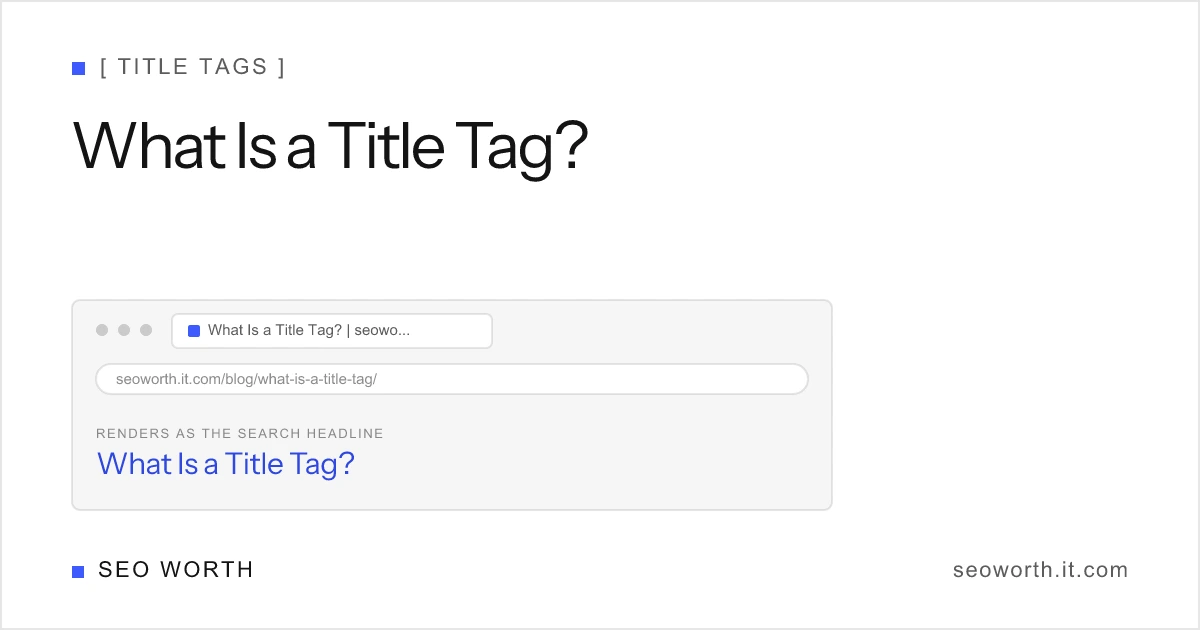
A title tag is the single most-read piece of text you write for a page. It’s the blue headline searchers click in Google, and it’s a confirmed ranking factor. Get it right and you earn relevance signals and clicks; get it wrong and Google rewrites it for you.
What is a title tag?
A title tag is the HTML <title> element that defines a web page’s title. It’s the clickable headline Google shows in search results, the text in the browser tab, and the headline pulled into social-media link previews. Though it isn’t visible in the page body, it’s one of the most important on-page SEO elements: it helps users and search engines understand what the page is about and is the first thing most people read before deciding to click.
In markup it lives in the document <head> and looks like this:
<head>
    <title>What Is a Title Tag? | seoworth</title>
</head>
That one line of HTML does triple duty: it names the page for browsers, for search engines, and for the rest of the web.
Where a title tag appears
The same <title> text surfaces in three places, which is why it’s worth getting right:
- The search result link: the bold, clickable headline in Google (and Bing).
- The browser tab: the label on the tab and in your bookmarks and history.
- Social shares: the headline in link previews on Slack, LinkedIn, iMessage, and similar, when a dedicated
og:titleisn’t set.

Why title tags matter
Unlike the meta description, which only influences click-through rate, the title tag is a confirmed Google ranking factor for relevance (per Moz and Ahrefs). It’s one of the strongest on-page signals you control, so the words you choose, and their order, directly affect which queries you compete for.
It’s also your headline in the auction for the click. A precise, benefit-led title can win the click even when you rank below a competitor with a vague one.
How Google builds the title link
Here’s the catch: the <title> you write is an input, not a guarantee. Google generates the title link shown in results and replaces your tag roughly 58–61% of the time when it’s missing, too long or too short, stale, boilerplate, or off-topic for the query (Moz/Google). According to Google’s title-link documentation, it builds title links from several sources:
- The
<title>element itself - The page’s main heading (often the H1)
- Other prominent on-page text
- Anchor text in links pointing to the page
og:title: the newest source Google added
The practical lesson: keep these consistent. When your <title>, H1, and og:title tell the same story, Google has no reason to override you.
| Title tag | H1 | |
|---|---|---|
| Location | <head> (not visible on page) | Page body (visible) |
| Job | Represents the page externally | Headlines the content on-page |
| Shows up in | SERP link, browser tab, social shares | The rendered page only |
| One per page? | Yes, exactly one | Yes, one primary H1 |
How long should a title tag be?
Aim for roughly 50–60 characters, which is about 600 pixels on desktop. Those are the canonical numbers behind our SERP snippet preview tool. Google truncates by pixel width, not character count, so treat characters as a proxy: a title full of wide letters (W, M, capitals) hits the limit sooner than one full of narrow ones (i, l, t).
Moz’s research is specific here: titles in the 51–60 character band see the fewest rewrites. Run shorter and you risk a thin, padded-out title; run longer and Google chops the tail with an ellipsis, usually cutting your brand or your call to action.
Title tag examples
The pattern that works almost everywhere is specific descriptor + brand:
| Good | Why it works |
|---|---|
Product Name | Brand Name | Clear subject, brand for trust, fits the limit |
2026 Admissions Criteria - University of Awesome | Specific, descriptive, no stuffing |
How to Write Meta Descriptions (With Examples) | seoworth | Front-loaded keyword + value cue + brand |
For many more, sorted by the kind of page you are writing, see SEO title examples.
And the ones to avoid:
HomeorUntitled: describes nothing; Google will replace it.SEO Tips, SEO Guide, SEO Help, Best SEO Tools, SEO 2026…: keyword-stuffed; reads as spam and gets rewritten.- A blank
<title>: forces Google to invent one from your page text.
How to write a good title tag
- Lead with the primary keyword so the page’s relevance is unmistakable.
- Stay near 50–60 characters / ~600px: check the pixel width, not just the count.
- Make every page’s title unique: duplicates confuse users and search engines.
- Add the brand at the end with a
|or-, unless space is tight. - Match it to the H1 and
og:titleso Google keeps the title you wrote. - Write for the click: a clear benefit beats a clever pun.
Before you publish, paste your draft into the SERP snippet preview tool to see the live pixel width, character count, and a truncation warning for both desktop and mobile.
The bottom line
A title tag is a one-line HTML element with outsized impact: it’s a direct ranking factor, your headline across three surfaces, and the first thing searchers judge you on. Keep it 50–60 characters, front-load the keyword, align it with your H1 and og:title, and you’ll hold onto the title you wrote instead of the one Google writes for you.
Want more on-page tactics like this? Join the newsletter for weekly, practical SEO tips, and go a level deeper with title tag SEO best practices, the meta description length guide, or the full meta tags in HTML reference.
- What is a title tag?
- A title tag is the HTML title element that names a web page. Google uses it as the clickable headline in search results, and browsers show it in the tab and in social-media link previews.
- Is a title tag the same as an H1?
- No. The title tag lives in the page's head and represents the page externally: in search results, browser tabs, and shares. The H1 is the visible headline inside the page body. They should be similar but are separate elements.
- Is a 'meta title' a real thing?
- Not technically. 'Meta title' is a common misnomer for the title tag. The title tag is a standalone title element, not a meta tag, even though many SEO tools label its field 'meta title'.
- How long should a title tag be?
- Aim for about 50–60 characters, roughly 600 pixels on desktop. Titles in the 51–60 character band see the fewest Google rewrites. Google truncates by pixel width, so character count is a useful proxy.
- Is a title tag mandatory?
- It is not required for a page to load, but every indexable page should have one. If you omit it or write a weak title, Google generates its own title link from your page content, and you lose control of how the page appears in search.
[ READ NEXT ]
How to Write a Meta Description (With Examples)
Learn how to write a meta description that wins clicks: the exact length limits, a 6-step method, before/after examples, and a free tool to test yours.
SEO Title Examples: 40 Real Titles by Page Type
40 SEO title tag examples for homepages, products, blog posts and local pages, with the formula behind each and before/after rewrites that fit 600px.
Title Tag SEO: Best Practices, Length & Examples
Title tag SEO best practices: the 50–60 character and 600px limits, keyword placement, uniqueness, and how to stop Google rewriting your titles.
Get the weekly SEO brief
Practical SEO tips, tool releases, and search news. No spam, unsubscribe anytime.